How to Compress Images to 20KB, 50KB, or 100KB for Government Portals & Web
Strict online job portals frequently reject photos over 50KB or 100KB. Discover how quantization matrices and chroma subsampling shrink image file size by up to 90% without blur or artifacting.
Technical Document Guide
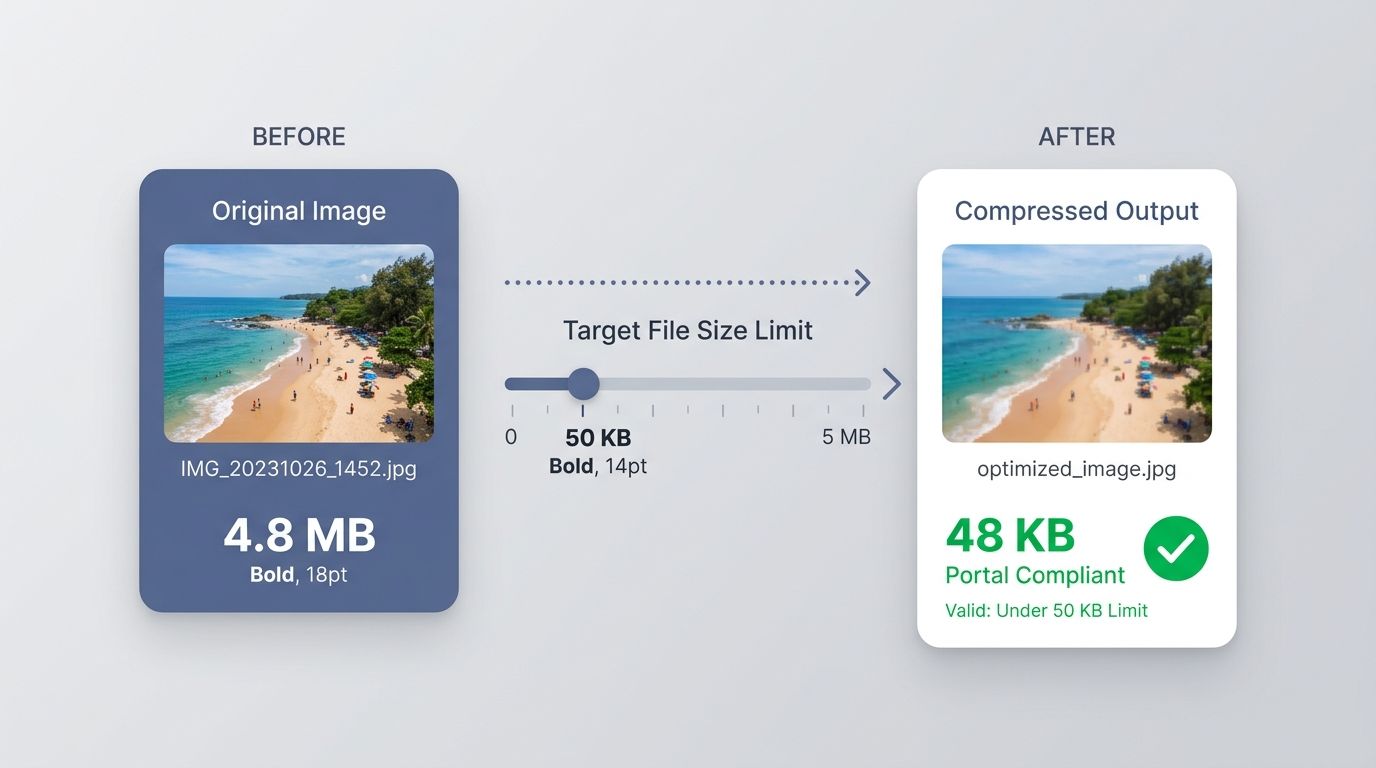 Visual demonstration of target file size image compression: reducing byte weight to strict portal thresholds without pixel blurring.
Key Takeaways & Executive Summary
Target KB compression: Government job portals, visa applications, and competitive exams mandate strict file ceilings: typically under 20KB for signatures and under 50KB/100KB for photographs.
DCT & Quantization efficiency: Discrete Cosine Transform (DCT) decomposes image blocks into spatial frequencies, selectively discarding invisible high-frequency noise while preserving crisp facial features.
Chroma subsampling (4:2:0): The human eye is vastly more sensitive to luminance (brightness) than chrominance (color). Subsampling color channels cuts byte payload by 50% with zero perceived loss.
Metadata & EXIF stripping: Removing GPS tags, camera serial numbers, and thumbnail previews instantly saves 10KB to 40KB of invisible data bloat per image.
Web-optimized WebP & MozJPEG: Modern codecs produce superior compression ratios compared to legacy camera-generated JPEGs.
Table of Contents
1. Why Government and University Portals Enforce Strict KB Limits
2. The Mathematics of Target Size Image Compression
3. Step-by-Step Guide: How to Compress Images to Exact KB Online
4. Best Practices for Compressing Scanned Signatures to 20KB
Frequently Asked Questions
1. Why Government and University Portals Enforce Strict KB Limits
2. The Mathematics of Target Size Image Compression
3. Step-by-Step Guide: How to Compress Images to Exact KB Online
4. Best Practices for Compressing Scanned Signatures to 20KB
Frequently Asked Questions
1. Why Government and University Portals Enforce Strict KB Limits
Anyone applying for state civil service exams, university entrance portals, or consular visa permits has encountered the dreaded error: "File exceeds maximum allowed size of 50KB" or "Signature must be between 10KB and 20KB". When modern smartphones take photos that routinely weigh between 3MB and 12MB, compressing an image down to 20KB or 50KB feels nearly impossible.
Portals enforce these strict caps because their legacy server databases must store hundreds of thousands of candidate profiles concurrently. If every applicant submitted an 8MB camera capture, database storage costs would explode and verification servers would crash under high bandwidth loads. The challenge is reducing file weight by 95% while keeping the candidate's face and signature sharp and legible.
Portal Rejection Risk
Using crude compression tools often produces pixelated, illegible signatures or blocky portraits that lead to immediate application disqualification by automated portal scanners.
2. The Mathematics of Target Size Image Compression
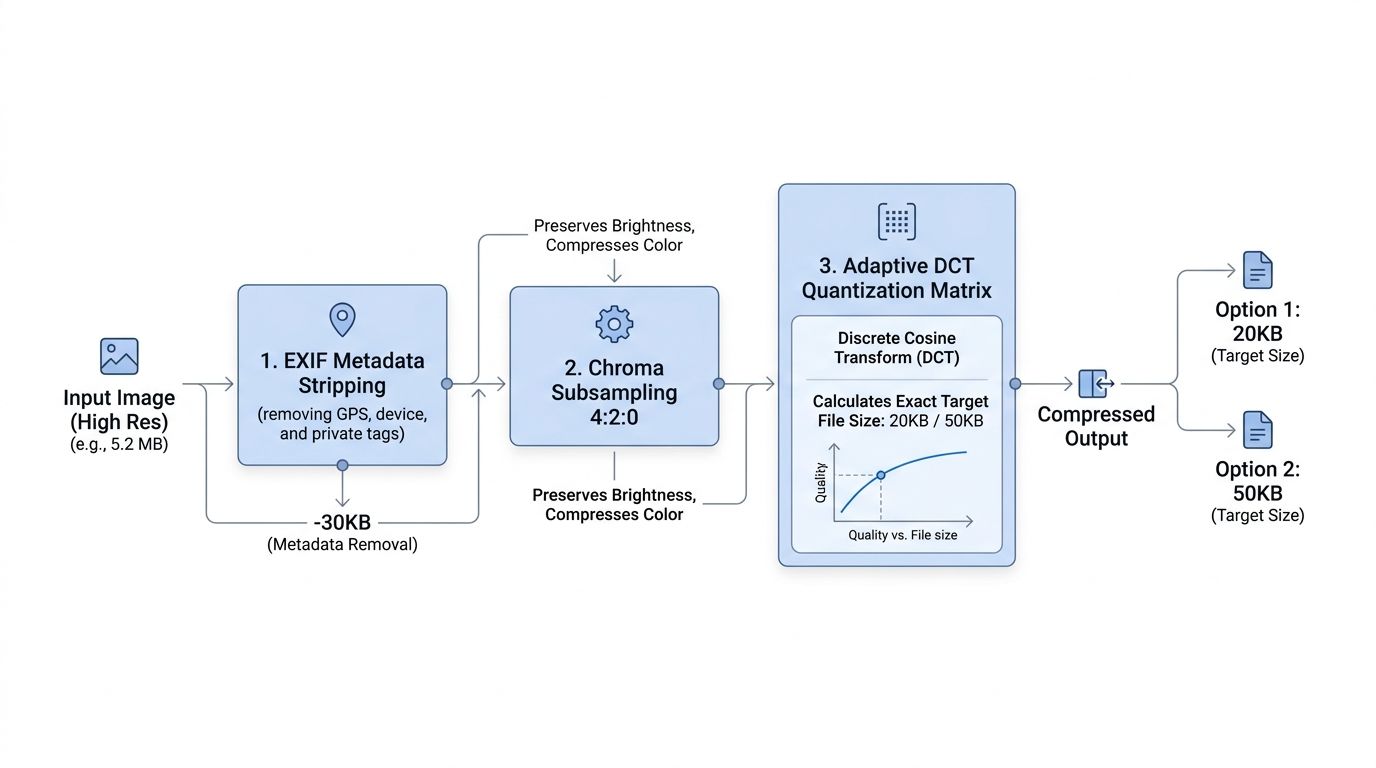
DocsEngine employs a dual-stage compression pipeline designed specifically for precise target size matching:
1. EXIF and Metadata Stripping: Raw smartphone photos contain embedded EXIF metadata—including GPS coordinates, device serial numbers, color space profiles, and thumbnail caches—which alone can occupy 30KB or more. Stripping this metadata instantly reduces weight with zero visual penalty.
2. Adaptive Quantization Iteration: The engine calculates optimal Discrete Cosine Transform quantization tables to hit exact thresholds (e.g. exactly 48KB for a 50KB limit) while preserving facial contrast.
| Target Threshold | Typical Application / Requirement | Recommended Dimensions | Visual Fidelity |
|---|---|---|---|
| Under 20KB (10KB–20KB) | Scanned handwritten signatures, thumb impressions | 200 x 150 px | Crisp ink lines, pure white background |
| Under 50KB (20KB–50KB) | Passport photos for UPSC, SSC, state exam portals | 350 x 450 px | Clear facial features, no blocky artifacts |
| Under 100KB (50KB–100KB) | College admissions, job portal resume profile pictures | 600 x 600 px | Retina-ready sharpness, natural skin tones |
| Under 200KB (100KB–200KB) | E-commerce product galleries, blog hero headers | 1200 x 800 px | High-definition full-screen viewing |
3. Step-by-Step Guide: How to Compress Images to Exact KB Online
Shrinking your photos to portal-compliant sizes takes seconds:
- Upload Photo or Signature: Drop your JPG, PNG, or WebP file into the DocsEngine Compress Image tool.
- Select Target Size or Quality: Choose from one-click presets ("Target 20KB", "Target 50KB", "Target 100KB") or adjust the slider.
- Instant Client-Side Optimization: The engine processes the image in memory and displays real-time before/after byte counts.
- Download Optimized File: Click "Download Compressed Image" and upload directly to your portal.
4. Best Practices for Compressing Scanned Signatures to 20KB
Signatures require a different optimization approach than portraits. Because signatures consist of dark ink on paper, you should crop away excess blank paper before compressing.
Increasing contrast slightly to push gray paper textures to pure white (RGB 255, 255, 255) allows standard run-length and entropy coding to compress the background to virtually zero bytes, ensuring the ink lines remain tack-sharp at only 12KB.
Compress Your Images to Exact KB Now
Shrink photos to 20KB, 50KB, or 100KB for government job portals and web publishing. 100% free.
Frequently Asked Questions
Upload your signature, select the "Target 20KB" preset, and ensure excess blank margins are cropped. The engine optimizes contrast so ink lines stay crisp while the background compresses losslessly.
Yes. DocsEngine supports JPG, JPEG, PNG, and WebP formats, automatically selecting the most efficient encoding for your target file size.
No. All compression is executed in memory and temporary files are automatically deleted every 12 hours at midnight. Your identity documents are never shared or indexed.
Table of Contents
1. Why Government and University Portals Enforce Strict KB Limits
2. The Mathematics of Target Size Image Compression
3. Step-by-Step Guide: How to Compress Images to Exact KB Online
4. Best Practices for Compressing Scanned Signatures to 20KB
Frequently Asked Questions
1. Why Government and University Portals Enforce Strict KB Limits
2. The Mathematics of Target Size Image Compression
3. Step-by-Step Guide: How to Compress Images to Exact KB Online
4. Best Practices for Compressing Scanned Signatures to 20KB
Frequently Asked Questions
Compress Image
Run fast, private document processing in your browser with zero permanent storage.
Share this guide
How to Resize Image Dimensions in Pixels, Centimeters & DPI Without Blurring

How to Crop Images to Exact Dimensions & Aspect Ratios (Passport, Social & Web)