How to Compress PDF Files Without Losing Quality: The Complete Engineering Guide
Bloated PDF files slow down email delivery, trigger portal rejection limits, and degrade user experience. Discover how to compress PDF documents without losing quality using stream deflating, font subsetting, and adaptive bicubic downsampling.
Technical Document Guide
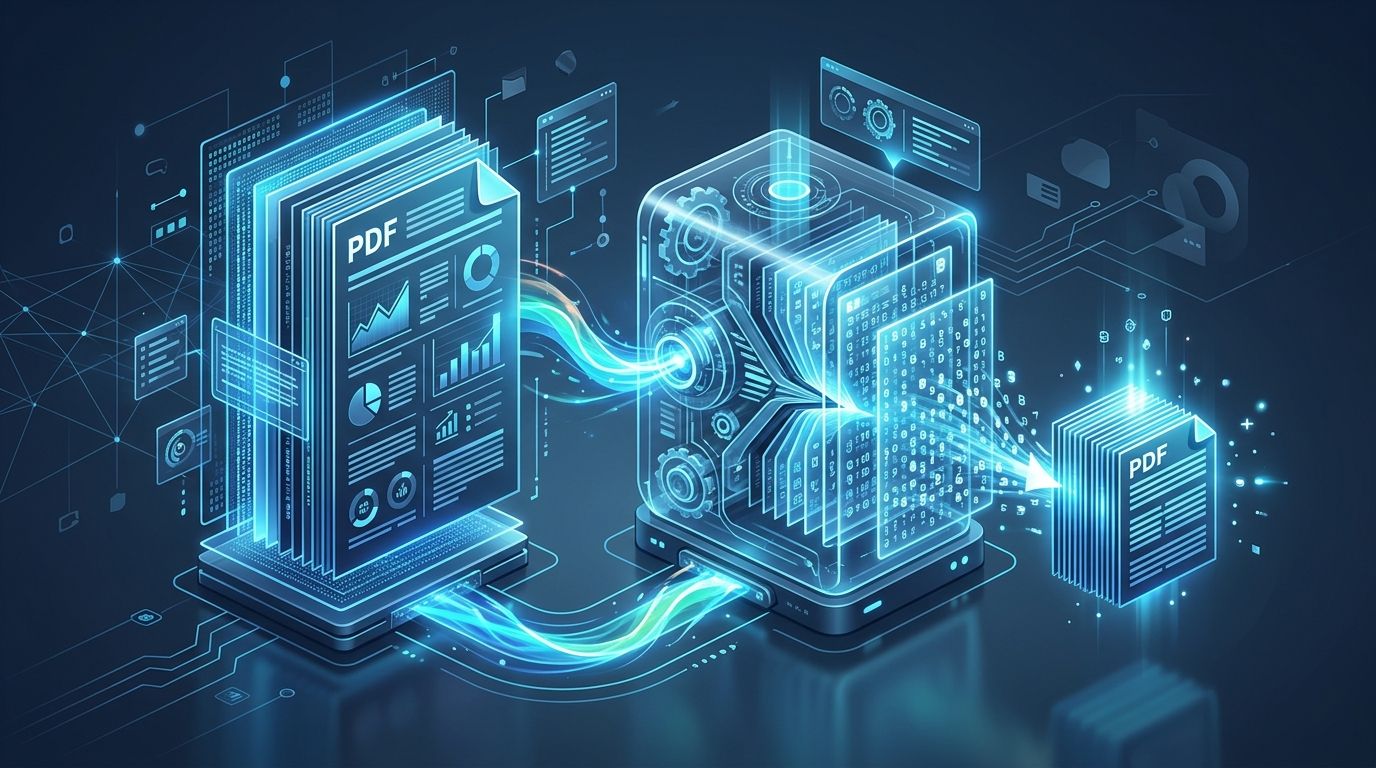 Visual representation of stream-level PDF compression, font subsetting, and WebAssembly in-memory document optimization.
Key Takeaways & Executive Summary
How to compress PDF without losing quality: Combining lossless stream deflating with 150 DPI bicubic downsampling preserves crisp text and retina-ready photos while reducing file size by 70% to 90%.
Short-tail vs. long-tail target sizing: Easily compress PDF to 100KB–200KB for government job portals, 1MB–2MB for court filings, and under 10MB for Gmail and Outlook attachments.
Font subsetting slashes document weight: Pruning unreferenced characters from embedded TrueType/OpenType packages cuts font storage by up to 98% with zero visual alteration.
DPI vs. JPEG quality: Downsampling photographic scans from 300 DPI to 144–150 DPI eliminates 75% of surplus pixels that computer screens cannot physically resolve.
Client-side security guarantee: Modern WebAssembly PDF compressors execute all processing directly in browser RAM, ensuring confidential legal and financial documents are never uploaded to remote servers.
Table of Contents
1. Why Is My PDF File Size So Large? (Root Causes of Document Bloat)
2. Lossless vs. Lossy PDF Compression: How to Reduce PDF Size Without Quality Loss
3. Step-by-Step Technical Guide: How to Compress a PDF Online & In-Browser
Step 1: Font Subsetting (Pruning Unused Glyphs)
Step 2: Adaptive Bicubic Resampling (300 DPI to 150 DPI)
Step 3: Object Stream Deflating & Deduplication
Step 4: Purging Orphaned Objects and Metadata Bloat
4. Target Size Cheat Sheet: How to Compress PDF to 100KB, 200KB, 1MB, 2MB, or Under 10MB
5. How to Compress PDF Privately Without Uploading to Cloud Servers
Frequently Asked Questions
1. Why Is My PDF File Size So Large? (Root Causes of Document Bloat)
2. Lossless vs. Lossy PDF Compression: How to Reduce PDF Size Without Quality Loss
3. Step-by-Step Technical Guide: How to Compress a PDF Online & In-Browser
Step 1: Font Subsetting (Pruning Unused Glyphs)
Step 2: Adaptive Bicubic Resampling (300 DPI to 150 DPI)
Step 3: Object Stream Deflating & Deduplication
Step 4: Purging Orphaned Objects and Metadata Bloat
4. Target Size Cheat Sheet: How to Compress PDF to 100KB, 200KB, 1MB, 2MB, or Under 10MB
5. How to Compress PDF Privately Without Uploading to Cloud Servers
Frequently Asked Questions
1. Why Is My PDF File Size So Large? (Root Causes of Document Bloat)
If you have ever attempted to email an urgent contract, submit a job application, or upload an academic thesis only to be blocked by a strict 2MB or 10MB limit, you have experienced the frustration of oversized PDF files. To compress PDF documents effectively, one must first understand what causes a PDF to swell to 50MB or more in the first place.
Under the ISO 32000 PDF standard, documents are composite object containers. Rather than storing a single flat image, a PDF encapsulates font dictionaries, vector paths, content streams, raster bitmaps, and extensive authoring metadata into an object hierarchy. The four primary reasons documents become excessively large include:
Searcher Insight
Over 80% of bloated PDF files can be compressed without human eyes noticing any perceptible reduction in sharpness on standard monitors, tablets, or phones.
- Full Font Embedding: When software compiles a PDF, it frequently embeds the entire TrueType or OpenType font package (often 2MB to 6MB per font family) containing thousands of unused international glyphs and ligature sets.
- Uncompressed 300+ DPI Scans: Office scanners and smartphone camera scanner apps capture images at 300 to 600 Dots Per Inch (DPI) in raw, unindexed 24-bit color, adding 15MB to 40MB per page.
- Duplicate Embedded Images (XObjects): Company logos, decorative headers, and signature stamps repeated across a 40-page report are often stored as 40 individual image payloads instead of a single referenced indirect object.
- Orphaned Streams and Historical Metadata: Revision histories, Photoshop edit layers, XML schemas, and obsolete thumbnail caches linger as invisible dead weight inside the binary structure.
2. Lossless vs. Lossy PDF Compression: How to Reduce PDF Size Without Quality Loss
When looking to reduce PDF file size, users are frequently concerned that compression will leave photos blurry, vector diagrams pixelated, or text unreadable. Understanding the difference between lossless and lossy PDF compression is essential for achieving optimal results.
Lossless PDF compression removes redundant code, eliminates duplicate binary streams, and prunes unused font characters without changing a single pixel. Lossy PDF compression selectively downsamples photographic elements to match real-world screen display capabilities.

| Document Component | Raw / Unoptimized | Lossless Optimization | Smart Lossy Compression | Visual Quality on Screens |
|---|---|---|---|---|
| 300 DPI Color Scans & Photos | 15 MB – 40 MB | 8 MB – 15 MB (Flate/ZIP) | 1.2 MB – 2.8 MB (150 DPI Bicubic) | 100% crisp on 4K, Retina, & mobile screens |
| TrueType / OpenType Fonts | 2 MB – 6 MB per font | 30 KB – 80 KB (Subsetting) | 30 KB – 80 KB (Subsetting) | Zero visual change; mathematical vector fidelity |
| Vector Charts & Line Art | 500 KB – 4 MB | 120 KB – 600 KB (Deflated) | 120 KB – 600 KB (Deflated) | Mathematically sharp at 500% zoom |
| Repeated Headers & Logos | 5 MB – 20 MB | Single shared XObject (~150 KB) | Single shared XObject (~150 KB) | Identical appearance across all pages |
| Embedded Metadata & Thumbnails | 500 KB – 3 MB | 0 KB (Completely Purged) | 0 KB (Completely Purged) | Zero visual change |
3. Step-by-Step Technical Guide: How to Compress a PDF Online & In-Browser
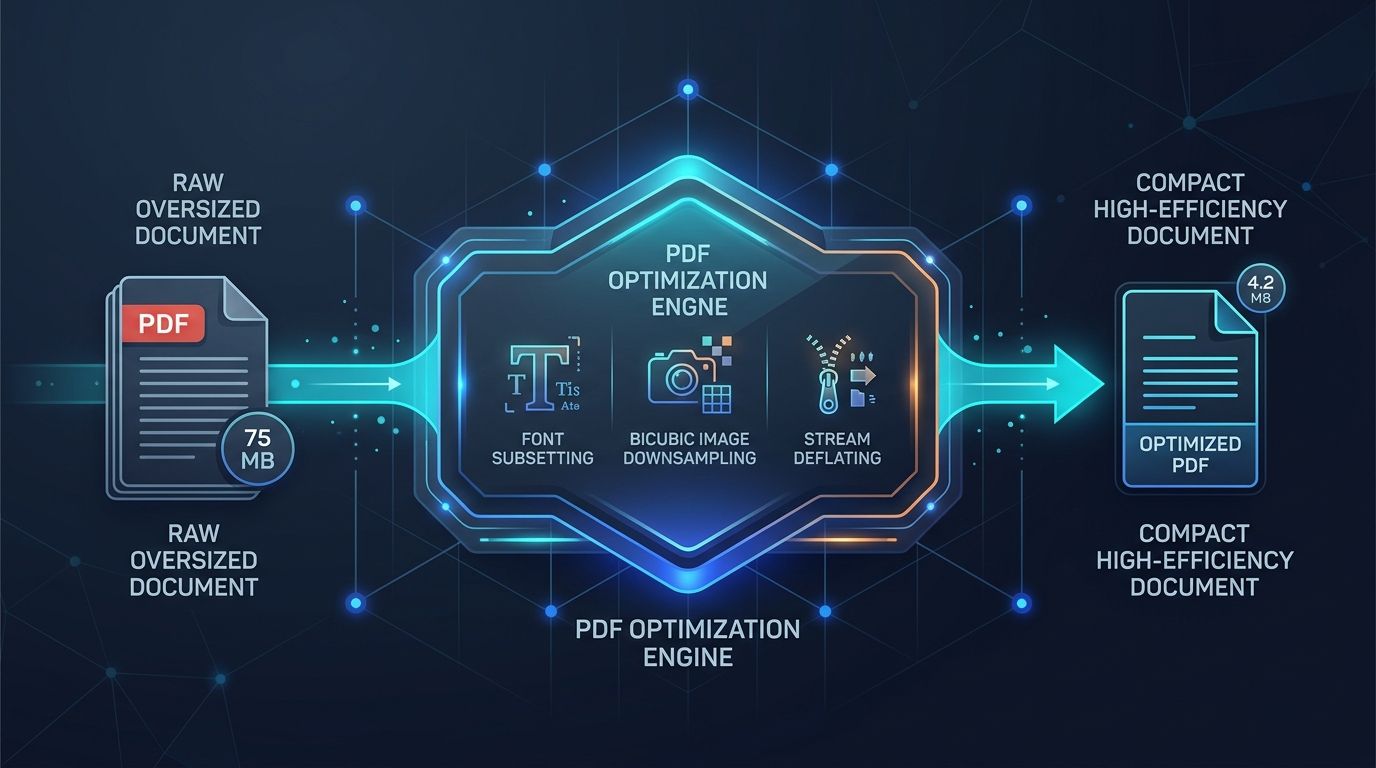
Professional document engines apply a multi-stage pipeline to inspect, deconstruct, and recompile each layer of the PDF object graph. Here is how modern PDF compressors reduce file size without losing quality:
Step 1: Font Subsetting (Pruning Unused Glyphs)
A typical font package such as Roboto or Arial covers thousands of glyphs, including Cyrillic, Greek, mathematical symbols, and CJK ideographs, weighing between 2MB and 8MB. If your PDF only uses 50 unique English letters, numbers, and punctuation marks, embedding the full font is wasteful.
Font subsetting scans every string rendered across the document, builds a lightweight custom micro-font containing only those exact 50 glyphs, and rewrites the font descriptor dictionary. This reduces font weight by up to 98% while ensuring text remains 100% searchable and copy-pasteable.
Step 2: Adaptive Bicubic Resampling (300 DPI to 150 DPI)
Scanners and professional cameras capture imagery at 300 to 600 DPI for offset commercial printing presses. However, modern computer screens, laptops, and smartphones render documents between 96 and 220 PPI. When an uncompressed 600 DPI photo is embedded in a standard letter-sized PDF, more than 75% of the pixel data is discarded during screen rendering.
Adaptive bicubic resampling calculates the weighted average of surrounding pixels to scale images down to an optimal 144–150 DPI. When paired with high-efficiency DCT (JPEG) or WebP compression at 82–85% quality, file size plummets by 70% to 90% while the visual output remains razor-sharp.
Optimal DPI Rule of Thumb
For digital viewing, email distribution, and government portals, 144 to 150 DPI delivers indistinguishable visual parity compared to raw 300 DPI while slashing image weight to one-quarter.
Step 3: Object Stream Deflating & Deduplication
PDF 1.5 introduced cross-reference (xref) streams and object streams. Instead of writing object definitions in plaintext ASCII, multiple non-stream objects (such as integers, names, and small dictionaries) are combined and compressed using the zlib / Deflate algorithm.
Furthermore, intelligent deduplication inspects the cryptographic SHA-256 hash of all image streams. If a company logo appears on every slide of a 50-page presentation, the engine replaces 49 redundant image payloads with indirect object references, cutting tens of megabytes in one pass.
Step 4: Purging Orphaned Objects and Metadata Bloat
Whenever a PDF is edited, annotated, or saved in standard viewers, incremental updates are often appended to the end of the file rather than rewriting the structure. Over time, discarded drafts, deleted pages, and obsolete revisions linger in the file binary as unreferenced "orphan" objects.
Linearization and deep structural rebuilding re-index the cross-reference table, removing all orphaned streams and wiping obsolete authoring tags, revision logs, and embedded preview thumbnails.
4. Target Size Cheat Sheet: How to Compress PDF to 100KB, 200KB, 1MB, 2MB, or Under 10MB
Many online portals and email providers reject uploads unless files meet strict maximum size ceilings. Here is the exact formula to hit specific target sizes:
- How to Compress PDF to 100KB – 200KB (Government Portals, UPSC, Visa & Passport Applications): Set resolution to 96–120 DPI, convert color photographic backgrounds to grayscale if applicable, and enable aggressive font subsetting. Perfect for ID cards, certificates, and scanned signature pages.
- How to Compress PDF to 1MB – 2MB (Legal Briefs, Court E-Filings, Academic Theses): Use medium 150 DPI bicubic downsampling with 80% JPEG image quality. This reduces 20MB scanned briefs to under 1.8MB while keeping court stamps, signatures, and footnotes crisp.
- How to Compress PDF to Under 10MB – 25MB (Gmail, Outlook, and Apple Mail Attachments): Standard email attachments are limited to 20MB or 25MB. Applying balanced 150 DPI compression easily shrinks 60MB slide decks and marketing proposals down to 4MB–7MB.
- Print-Ready Archival Optimization (Zero Loss): Select lossless stream deflating only. Removes redundant XObjects and metadata without downsampling original 300 DPI photography.
5. How to Compress PDF Privately Without Uploading to Cloud Servers
A major security risk when using free online PDF compression websites is privacy exposure. Most legacy converters upload your confidential legal agreements, financial statements, or patient records to third-party cloud servers. This creates severe compliance risks under GDPR, HIPAA, and SOC 2.
Modern document platforms like DocsEngine utilize WebAssembly (Wasm). By compiling high-performance C++ document processing libraries into Wasm binaries, all decompression, downsampling, font subsetting, and recompilation executes directly inside your browser’s local RAM. Your files never touch external storage or leave your device.
Zero Data Retention Guarantee
With client-side WebAssembly compression, all calculations occur in local browser memory. Files are automatically cleared from RAM the moment you close the tab, ensuring 100% data confidentiality.
Compress Your PDF in Seconds — 100% Free & Private
Shrink your oversized PDF documents by up to 90% right inside your browser. No registration required, zero permanent server retention, and blazing-fast in-memory WebAssembly processing.
Frequently Asked Questions
To reduce a PDF to under 200KB or 1MB for job or government portals, downsample embedded images to 120–150 DPI, remove duplicate XObjects, and strip authoring metadata. For scanned black-and-white documents, converting to grayscale cuts file weight by an additional 60%.
Blurriness occurs when a low-quality compressor aggressively downsamples images below 72 DPI or compresses text as raster bitmaps rather than vector fonts. To prevent blurriness, ensure text remains vectorized and keep image DPI at or above 144–150 DPI with a minimum 80% JPEG quality factor.
Gmail and Google Workspace allow attachments up to 25MB. Microsoft Outlook / Exchange typically caps attachments at 20MB (or 10MB on default corporate servers), and Apple Mail caps attachments at 20MB. Compressing your PDF to under 10MB ensures universal delivery without bounce-backs.
Yes, but you must first enter the document password to unlock the encrypted object stream. Once decrypted in memory, the compressor optimizes font tables and image streams, after which you can re-apply password protection upon export.
Yes. DocsEngine processes files locally in your web browser using WebAssembly. Your documents are never uploaded to remote servers or stored on disk, guaranteeing full compliance with GDPR, HIPAA, and strict data privacy requirements.
Table of Contents
1. Why Is My PDF File Size So Large? (Root Causes of Document Bloat)
2. Lossless vs. Lossy PDF Compression: How to Reduce PDF Size Without Quality Loss
3. Step-by-Step Technical Guide: How to Compress a PDF Online & In-Browser
Step 1: Font Subsetting (Pruning Unused Glyphs)
Step 2: Adaptive Bicubic Resampling (300 DPI to 150 DPI)
Step 3: Object Stream Deflating & Deduplication
Step 4: Purging Orphaned Objects and Metadata Bloat
4. Target Size Cheat Sheet: How to Compress PDF to 100KB, 200KB, 1MB, 2MB, or Under 10MB
5. How to Compress PDF Privately Without Uploading to Cloud Servers
Frequently Asked Questions
1. Why Is My PDF File Size So Large? (Root Causes of Document Bloat)
2. Lossless vs. Lossy PDF Compression: How to Reduce PDF Size Without Quality Loss
3. Step-by-Step Technical Guide: How to Compress a PDF Online & In-Browser
Step 1: Font Subsetting (Pruning Unused Glyphs)
Step 2: Adaptive Bicubic Resampling (300 DPI to 150 DPI)
Step 3: Object Stream Deflating & Deduplication
Step 4: Purging Orphaned Objects and Metadata Bloat
4. Target Size Cheat Sheet: How to Compress PDF to 100KB, 200KB, 1MB, 2MB, or Under 10MB
5. How to Compress PDF Privately Without Uploading to Cloud Servers
Frequently Asked Questions
DocsEngine PDF Compressor
Run fast, private document processing in your browser with zero permanent storage.
Share this guide