How to Convert Word DOCX to PDF While Preserving Exact Layouts and Fonts
Tired of Word documents shifting formatting, breaking fonts, and reflowing paragraphs when opened on other computers? Learn how to convert DOCX to PDF for guaranteed cross-platform fidelity.
Technical Document Guide
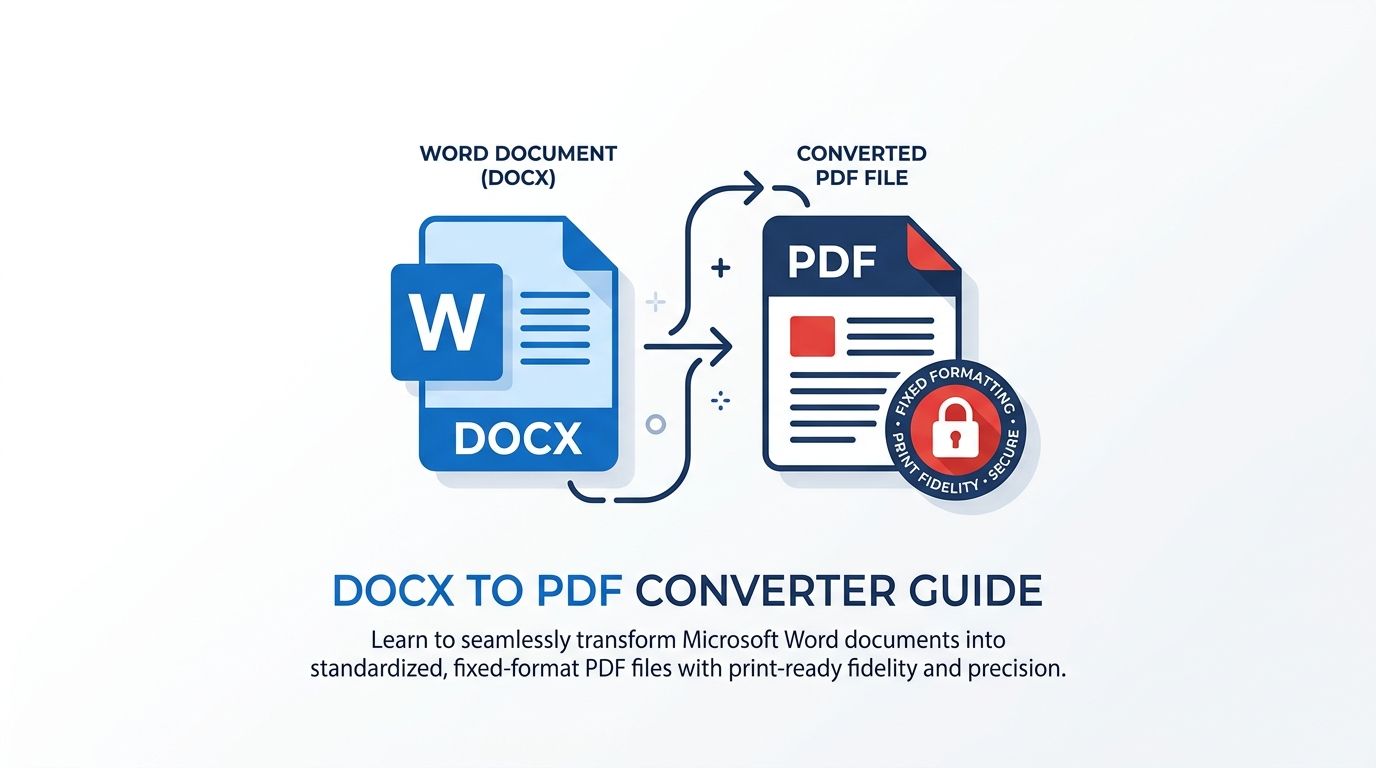 Visual guide to locking document layouts, embedding typography, and generating publication-ready PDF documents from Microsoft Word.
Key Takeaways & Executive Summary
Cross-platform layout lockdown: Converting Word to PDF fixes paragraph breaks, table margins, and image anchors so documents render identically on every device.
Prevent font substitution: PDF conversion embeds TrueType and OpenType font metrics, preventing fallback fonts from altering line spacing.
Universal accessibility & print readiness: Standardized PDF output ensures seamless opening on mobile phones, tablets, and commercial print shops.
Batch multi-document conversion: Convert up to 20 DOCX or legacy DOC files at once with automated ZIP packaging.
Privacy guarantee: All documents are converted in isolated server buffers and permanently purged every 12 hours at midnight.
Table of Contents
1. The Word Formatting Trap: Why Sharing .docx Files Causes Layout Disasters
2. How Word to PDF Conversion Locks Formatting and Fonts
3. Step-by-Step Guide: How to Convert Word DOCX to PDF Online
4. Supporting Both Legacy .doc and Modern .docx Standards
Frequently Asked Questions
1. The Word Formatting Trap: Why Sharing .docx Files Causes Layout Disasters
2. How Word to PDF Conversion Locks Formatting and Fonts
3. Step-by-Step Guide: How to Convert Word DOCX to PDF Online
4. Supporting Both Legacy .doc and Modern .docx Standards
Frequently Asked Questions
1. The Word Formatting Trap: Why Sharing .docx Files Causes Layout Disasters
Anyone who has ever prepared an important resume, contract, or academic paper in Microsoft Word and emailed the raw .docx file knows the dreaded "formatting shift" problem. When the recipient opens the document on a Mac, an older Windows computer, or a smartphone, headings unexpectedly jump to the next page, custom fonts revert to generic Times New Roman, and tables overflow off the margin.
Microsoft Word relies heavily on local operating system resources—including installed system fonts, regional printer metrics, and application display versions—to calculate line breaks and pagination dynamically. When those resources differ on the recipient's device, Word recalculates the layout on the fly.
Career & Legal Risk
Never submit job applications, bids, or legal agreements as raw Word files. Font substitutions can cause a 1-page resume to spill over onto an awkward 2-page mess.
2. How Word to PDF Conversion Locks Formatting and Fonts
Converting a Word document to PDF compiles the dynamic text flow into a fixed layout container (ISO 32000 standard). Every character glyph is assigned a permanent coordinate, and all necessary font programs are embedded directly into the document binary.
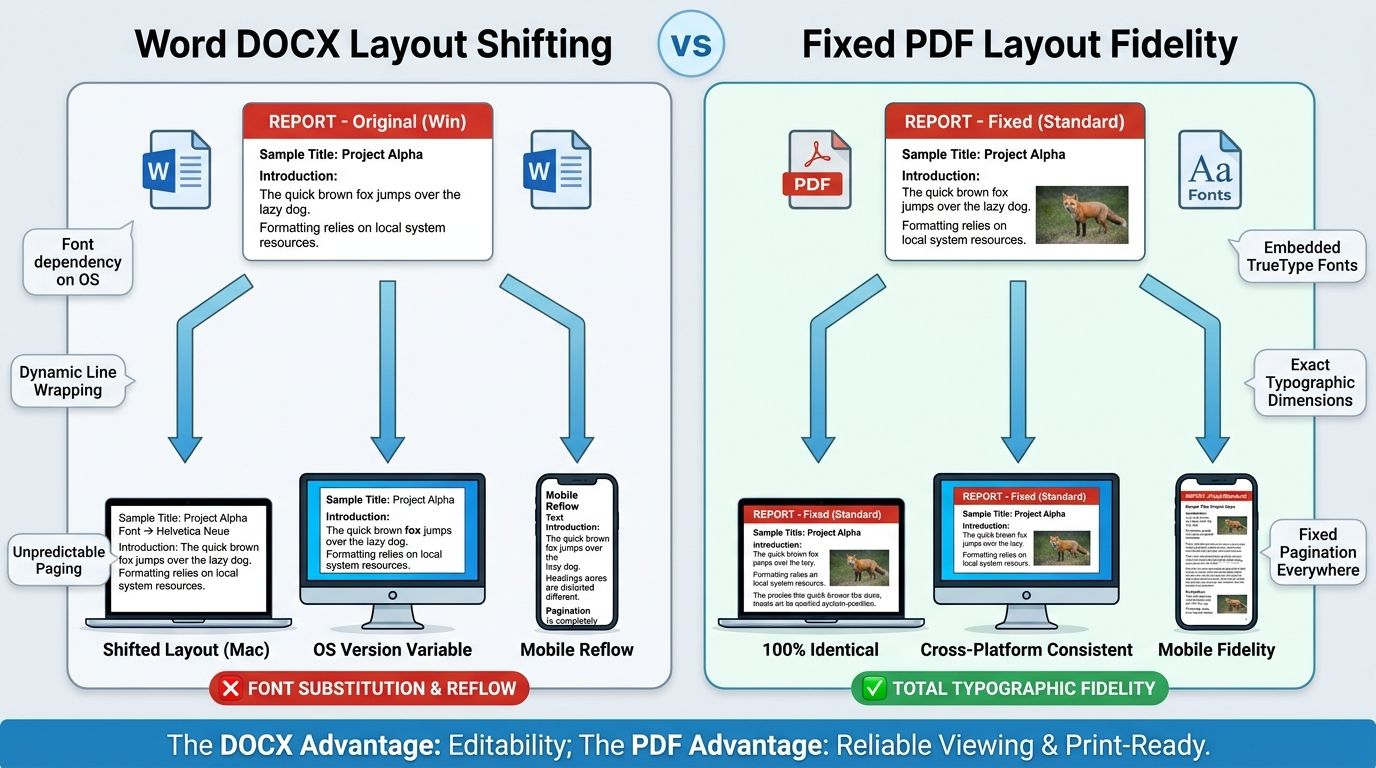
| Document Attribute | Microsoft Word (.docx) | Adobe PDF (.pdf) | Business Advantage of PDF |
|---|---|---|---|
| Page Layout & Margins | Recalculated based on local printer driver | Mathematically locked and static | Identical appearance across all screens & print |
| Typography & Fonts | Substituted if recipient lacks the font | Embedded directly into document file | Preserves exact corporate branding & font styling |
| Accidental Editing | Easily typed over or accidentally modified | Read-only by default; preserves integrity | Prevents unauthorized clause changes in contracts |
| Mobile Compatibility | Requires Microsoft Word or 365 app | Native browser preview on iOS & Android | Instant 1-tap reading on any mobile phone |
3. Step-by-Step Guide: How to Convert Word DOCX to PDF Online
Converting Word documents to standardized PDF with DocsEngine takes only 3 steps:
- Upload Your Word Files: Open the DocsEngine Word to PDF tool and drop your .docx or .doc file into the upload zone. You can upload up to 20 files at once for batch processing.
- Execute Conversion: Click "Convert to PDF". The layout engine renders paragraphs, tables, header hierarchies, and vector graphics.
- Download Your PDF: Save your document. Batch tasks are automatically packaged into a single ZIP file.
4. Supporting Both Legacy .doc and Modern .docx Standards
While modern Microsoft Office uses the zipped XML format (.docx introduced in Word 2007), millions of legacy enterprise archives, government forms, and legal databases still store documents in the legacy binary format (.doc).
DocsEngine provides backward and forward compatibility, seamlessly converting both modern .docx OpenXML files and legacy .doc binary files into compliant modern PDF documents.
Lock Your Word Document Layouts with PDF
Transform DOCX and DOC files into clean, fixed-layout PDF files that look identical on any phone, Mac, or PC.
Frequently Asked Questions
Yes. DocsEngine fully supports both modern Microsoft Word .docx files and legacy Office 97-2003 .doc binary formats.
Yes. PDF documents are fixed-layout read-only files by default. For sensitive legal agreements, you can also use our Protect PDF tool to add password encryption and restrict copy/paste permissions.
Yes. You can upload up to 20 DOCX or DOC documents simultaneously. Each file is converted and packaged into a single convenient ZIP archive.
Table of Contents
1. The Word Formatting Trap: Why Sharing .docx Files Causes Layout Disasters
2. How Word to PDF Conversion Locks Formatting and Fonts
3. Step-by-Step Guide: How to Convert Word DOCX to PDF Online
4. Supporting Both Legacy .doc and Modern .docx Standards
Frequently Asked Questions
1. The Word Formatting Trap: Why Sharing .docx Files Causes Layout Disasters
2. How Word to PDF Conversion Locks Formatting and Fonts
3. Step-by-Step Guide: How to Convert Word DOCX to PDF Online
4. Supporting Both Legacy .doc and Modern .docx Standards
Frequently Asked Questions
Word to PDF
Run fast, private document processing in your browser with zero permanent storage.
Share this guide
How to Convert PDF to Word (DOCX) Without Losing Formatting: The Complete Guide
How to Compress PDF Files Without Losing Quality: The Complete Engineering Guide
