How to Password Protect a PDF File with AES-256 Encryption (Bank-Grade Security)
Sending sensitive financial records, legal contracts, or patient health charts over email leaves them vulnerable. Discover how AES-256 PDF encryption locks documents against unauthorized access and tampering.
Technical Document Guide
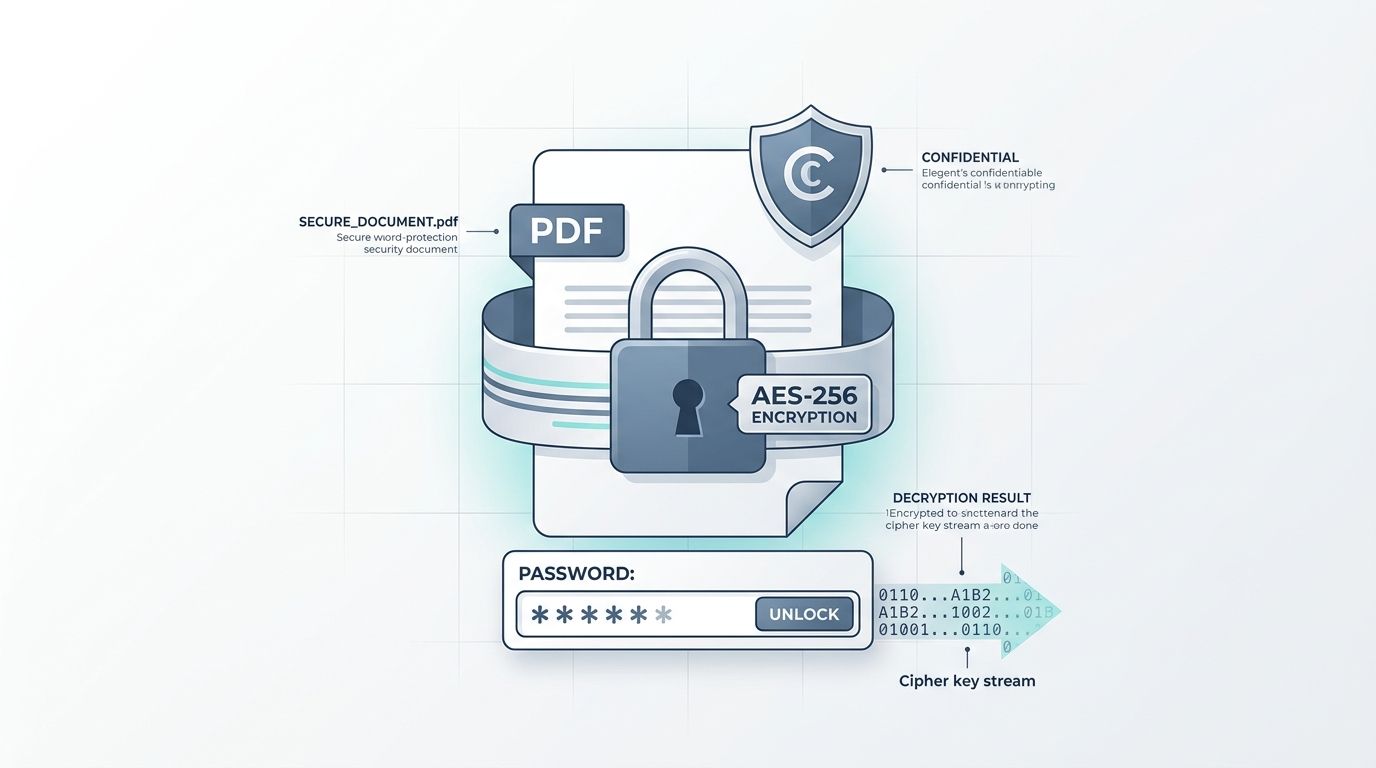 Visual diagram of PDF cryptographic security: AES-256 CBC/GCM encryption, key derivation, and access control permissions.
Key Takeaways & Executive Summary
AES-256 cryptographic standard: Advanced Encryption Standard with 256-bit symmetric keys is recognized by the US National Security Agency (NSA) for top-secret classified intelligence.
User password vs. Owner password: User passwords restrict opening and viewing the document; Owner passwords restrict copying text, modifying form fields, and printing.
End-to-end memory isolation: Documents are encrypted in temporary volatile RAM buffers with zero disk persistence and purged automatically every 12 hours at midnight.
Cross-platform compatibility: Encrypted PDFs open seamlessly in Adobe Acrobat, Apple Preview, Google Chrome, Microsoft Edge, and iOS/Android mobile readers upon password entry.
Defense against brute force: Modern key derivation functions (PBKDF2 / SHA-256 with 100,000+ iterations) render GPU dictionary cracking mathematically infeasible.
Table of Contents
1. Why Sending Unencrypted PDFs Over Email Is a Serious Security Threat
2. User Password (Open) vs. Owner Password (Permissions): Understanding the Difference
3. Step-by-Step Guide: How to Password Protect a PDF Online Free
4. How to Create an Uncrackable PDF Passphrase
Frequently Asked Questions
1. Why Sending Unencrypted PDFs Over Email Is a Serious Security Threat
2. User Password (Open) vs. Owner Password (Permissions): Understanding the Difference
3. Step-by-Step Guide: How to Password Protect a PDF Online Free
4. How to Create an Uncrackable PDF Passphrase
Frequently Asked Questions
1. Why Sending Unencrypted PDFs Over Email Is a Serious Security Threat
Email was designed in the 1970s without built-in encryption. When you attach an unencrypted PDF containing tax returns (Form 1040 / W-2), bank account statements, medical records, or proprietary corporate agreements, that file traverses multiple intermediate mail routing servers in plaintext.
Anyone with administrative access to mail transfer agents, Wi-Fi sniffing tools, or compromised inbox credentials can open, inspect, and clone your confidential files. Regulatory compliance frameworks—such as GDPR, HIPAA for healthcare, and GLBA for financial services—mandate that documents containing non-public personal information (NPI) must be encrypted both in transit and at rest.
Regulatory Compliance Mandate
Sending unencrypted client tax returns or medical charts over standard email can incur civil penalties up to $50,000 per violation under HIPAA and GDPR privacy mandates.
2. User Password (Open) vs. Owner Password (Permissions): Understanding the Difference
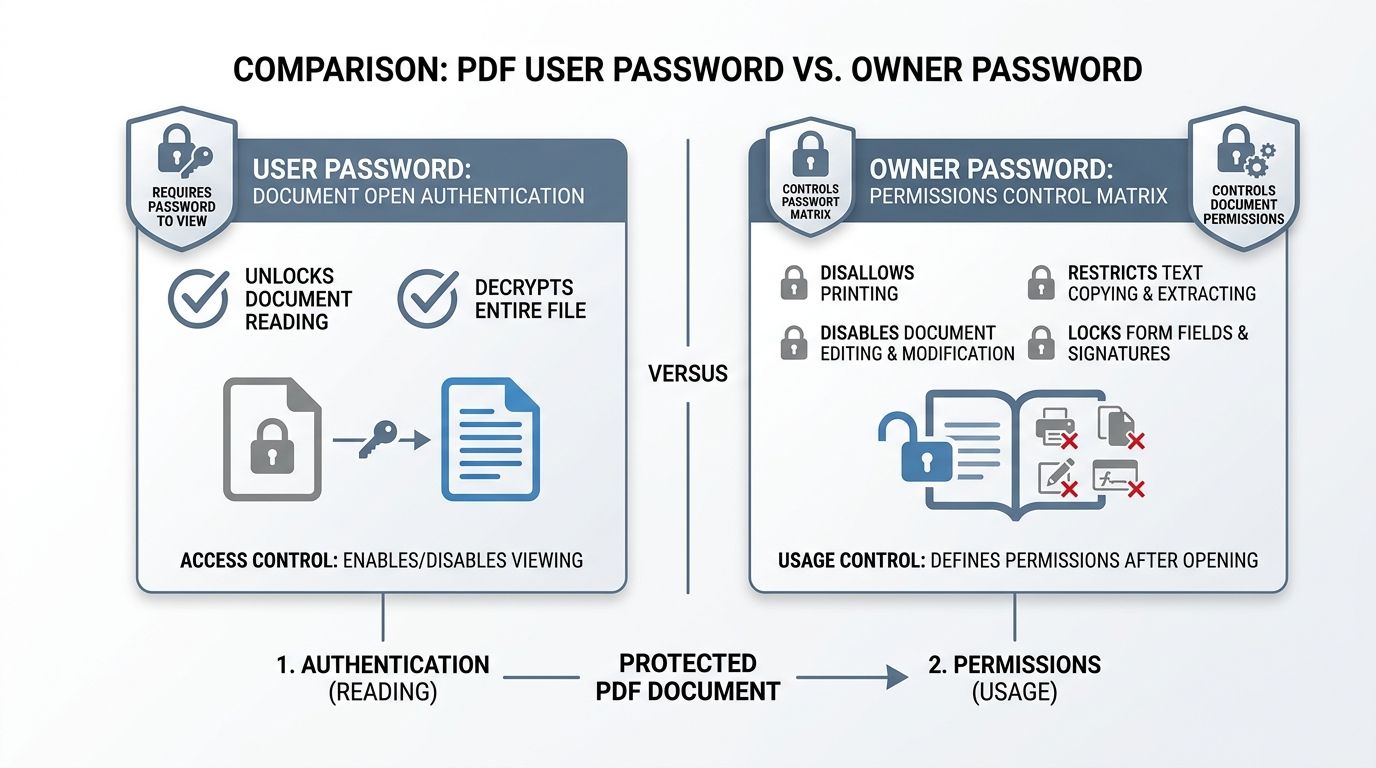
The ISO 32000 PDF encryption specification defines two distinct cryptographic authentication tiers:
1. User Password (Document Open Password): Required to decrypt and view the document content. Without this password, the PDF viewer cannot render a single letter or image.
2. Owner Password (Permissions Master Password): Allows the recipient to view the PDF, but enforces granular restrictions. You can disable printing, prevent text selection and copying, block form filling, and forbid page extraction.
| Security Setting | User Password Required? | Owner Password Required? | Enforced Protection |
|---|---|---|---|
| Document Open Lock | Yes | No | Prevents unauthorized eyes from viewing document contents |
| Print Restriction | No (if open allowed) | Yes | Blocks printing or restricts output to low-res 150 DPI |
| Content Copy Lock | No (if open allowed) | Yes | Disables text selection, clipboard copying, and screen readers |
| Edit & Annotation Lock | No (if open allowed) | Yes | Prevents altering text, rotating pages, or adding false notes |
| Full Dual Lockdown | Yes | Yes | Full viewing password plus restricted administrative rights |
3. Step-by-Step Guide: How to Password Protect a PDF Online Free
Securing your PDF with DocsEngine takes less than 15 seconds:
- Upload Document: Drag and drop your confidential PDF into the DocsEngine Protect PDF tool.
- Enter Strong Password: Type your chosen passphrase into the password field. We recommend a combination of 12+ characters including upper and lower case letters, numbers, and symbols.
- Apply AES-256 Encryption: Click "Encrypt PDF". Our cryptographic engine scrambles the document streams using 256-bit keys.
- Download Secured File: Save your locked PDF file. Opening it in any viewer will now require your password.
4. How to Create an Uncrackable PDF Passphrase
Simple dictionary passwords like "Password123" or birth years can be broken by modern GPU cluster rigs in seconds. For maximum security:
• Use a Multi-Word Passphrase: Use four or more random, memorable words (e.g., "Cobalt#Falcon!Orchard92").
• Avoid Public Data: Never use company names, family names, birthdays, or phone numbers.
• Secure Password Transmission: Send the password to the recipient via an alternate communication channel (e.g. Signal or SMS), never in the same email as the PDF attachment.
Encrypt Your Confidential PDF Files Now
Lock sensitive contracts, tax records, and medical files with military-grade AES-256 encryption. 100% free.
Frequently Asked Questions
No. AES-256 is mathematically impossible to crack through brute force with modern computing power when a strong passphrase is used.
Yes. AES-256 PDF encryption is natively supported by Apple iOS Files/Preview, Android Google Drive Viewer, Adobe Acrobat Mobile, and all modern mobile web browsers.
Because AES-256 encryption has no backdoor, if the password is forgotten or lost, the document cannot be recovered. Be sure to record your password in a secure password manager.
No. All processing happens in isolated cryptographic memory buffers and all files are permanently deleted every 12 hours at midnight. We have zero access to your documents or passwords.
Table of Contents
1. Why Sending Unencrypted PDFs Over Email Is a Serious Security Threat
2. User Password (Open) vs. Owner Password (Permissions): Understanding the Difference
3. Step-by-Step Guide: How to Password Protect a PDF Online Free
4. How to Create an Uncrackable PDF Passphrase
Frequently Asked Questions
1. Why Sending Unencrypted PDFs Over Email Is a Serious Security Threat
2. User Password (Open) vs. Owner Password (Permissions): Understanding the Difference
3. Step-by-Step Guide: How to Password Protect a PDF Online Free
4. How to Create an Uncrackable PDF Passphrase
Frequently Asked Questions
Protect PDF
Run fast, private document processing in your browser with zero permanent storage.
Share this guide
How to Unlock Password Protected PDF Files & Remove Printing Restrictions

How to Compress PDF Files Without Losing Quality: The Complete Engineering Guide